Canvas Credentials at NAU
Digital microcredentials earned through completing university trainings, courses, and other activities.
What are Canvas Credentials?
Canvas Credentials are digital microcredentials, or ‘badges’, that provide digital proof of completion of an activity such as training, workshops, and other campus activities or modules.
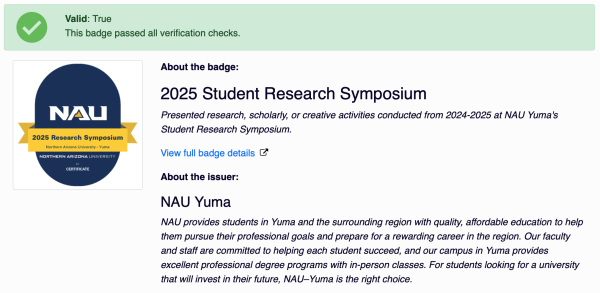
Canvas Credentials utilize embedded metadata that contains information such as the recipient of the badge, the date the badge was earned, the content completed, and verification of the badge’s legitimacy and authenticity. This protocol allows for badges to be displayed as verifiable proof of skills or training.
Additionally, Canvas Credentials are built on an open standard, allowing recipients to combine badges from different providers into common collections.
View your Canvas Credentials
You can use your NAU username and password to log into Badgr (the platform NAU uses to issue Canvas Credentials) to view and share your badges.
Ways to display and share Canvas Credentials
You can display badges in your resume, LinkedIn, digital portfolio, website, or NAU email signature using the badge image and image link.
On LinkedIn, badges can be added to your profile by entering the badge details in the ‘Licenses and Certifications’ field.
ⓘ We’ll be creating video tutorials in the coming months with more information and instructions on displaying your Canvas Credentials.
Validate the authenticity of a Canvas Credential
You can use Instructure and Badgr’s online tool, badgecheck.io, to verify the validity of a Canvas Credential.